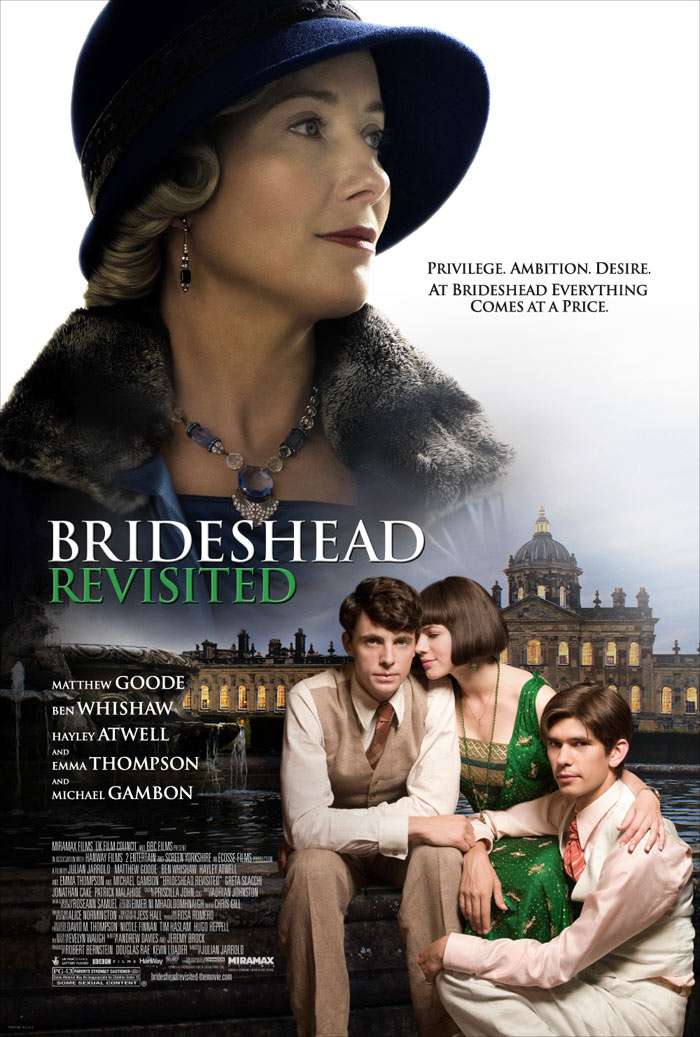
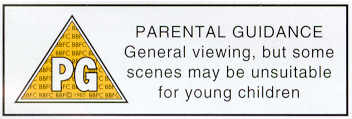
I have used various new media technologies throughout the whole process of my coursework. Below I will state each one and explain how I used it and for what purpose.
Scribd.com
- This is a document upload site which enables you to upload word documents and embed them onto sites such as this one.
- It's quite easy to use all you have to do is create an account on Scribd then just choose upload and select the document you want to upload.
- I've used this on my blog to break up text and make it more appealing on the eye.
- I have also used it for a genre research table that I have done as tables cannot be done on normal posts on Blogger.
- http://lornasa2bloggy.blogspot.com/2009/11/genre-research.html here's an example of the use of Scribd on my blog.
- Being able to use a new media technology on my blog like Scribd means it allows me to produce a blog that i much more appealing on the eye.
Podcasts
- We chose to try using this concept of a Podcast to speak about what we'd done so far in the week and the plans for the week ahead.
- We saw it as something a bit different to put on the blog compared to us just writing notes, it would be a more interesting way of communicating to viewers of our blog.
- This enabled us to be more interactive with our blog.
- Here is our first Podcast: http://lornasa2bloggy.blogspot.com/2009/11/podcast-51109.html
- We used Facebook to get our audience feedback.

- We uploaded our final cut teaser trailer onto the networking site and asked for comments from our 'Friends.'
- It was an affective concept to use as there is a wide audience.
- By using this networking site it meant we had a variety of feedback from different people from different backgrounds and also saved us time as if we couldn't have used Facebook we would of had to ask people personally to give us feedback.
Blogger
- I've used Blogger to keep an account of my process in my coursework and to keep a record of research as well.
- This is an easier way to process my coursework as it is all done in one place which can be accessed on any computer.
- You can also upload videos and have a much more interactive way of presenting your coursework.
- Using a blog to present my coursework rather than simply writing it up means that it is more appealing and interesting to viewers and it's also easier to keep a constant live log of everything I have done.
IMDB
- IMDB is a movie database website which has all sorts of details on a variety of films.
- There are details such as budgets, box office figures, actors etc...
- This website has been very helpful during the process of producing my coursework.
- The most helpful details I have got from the website are the budget and box office takings for films similar to mine such as Pride and Prejudice and Becoming Jane, I have used these figures in my intertextual research.
- If I didn't have access to these sort of details I would struggle to understand the genre that I have worked in (period drama) and therefore find it a struggle to produce my final piece with a detailed understanding in terms of my target audience.
Photoshop
- I have used Photoshop to produce my teaser poster, magazine front cover and film poster.
- We took pictures while we were shooting our footage then used them to make our ancillary texts.
- There are allot of different tools on Photoshop that make it possible to create a professional looking poster/magazine cover.
- This is the film poster: http://lornasa2bloggy.blogspot.com/2009/12/ancillary-text-film-poster.html
- This is the magazine front cover: http://lornasa2bloggy.blogspot.com/2009/12/ancillary-text-magazine-front-cover.html
- This is the teaser poster: http://lornasa2bloggy.blogspot.com/2009/12/teaser-poster.html
- Without using Photoshop the ancillary texts would be nowhere near the quality they are and multiple images wouldn't bee able to be used.
iMovie
- We edited and produced our whole teaser trailer on iMovie.
- Its quite simple to use and has a variety of tools such as transitions that can be very effective.
- In one of my previous posts I have gone into more detail of the positives and negatives of iMovie: http://lornasa2bloggy.blogspot.com/2009/12/software_21.html
iDVD
- Using iDVD meant we could produce a professional looking DVD.
- iDVD produces a 'start' page for your DVD so it comes up with he option 'play movie.'
- It just helps to finish off the DVD.
Audio Recorder
- We used this to record our soundtrack and our voice over.
- The recording quality is very good and is easy to use.
- Using this piece of new media technology was better than using a camcorder to recorded audio as it gives a sharper more precise finish.
Camcorder
- We used a Canon digital camcorder MD101 which we recorded onto a DV tape.
- It was easy to use and gave good results.
- I have written further information about the camcorder on a previous post: http://lornasa2bloggy.blogspot.com/2009/12/hardware_21.html
- The camcorder had a zoom, the footage filmed was clear and of good quality.
Scanner
- We used a scanner to upload our storyboard.
- Using the scanner meant that we could upload our first storyboard along with the pictures we drew to represent shots
- Here is the storyboard we scan into the computer then uploaded onto the blog: http://lornasa2bloggy.blogspot.com/2009/11/storyboard.html
YouTube
- I used YouTtube to view teaser trailers for different films but especially the genre of period drama.
- I then analysed the trailers for my genre research.
- YouTube is an easy video search engine that is quick and efficient to use.
- If I hadn't of used YouTube I would of had to have searched for teaser trailers which would have taken more time.
- Although one problem was that if I wanted to use YouTube I had to use it at home as it is blocked on the school computers.